Practical Malware Analysis - Lab 5
Lab 5-1
Q1: What is the address of DllMain?
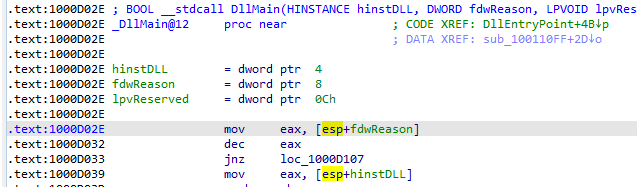
When i loaded the dll into IDA Pro i was directed to the DllMain at address 1000D02E
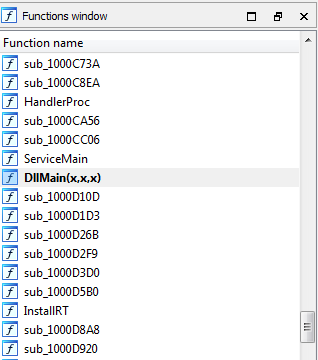
We can also search for the DllMain in Functions window
Q2: Use the Imports window to browse to gethostbyname. Where is the import located?
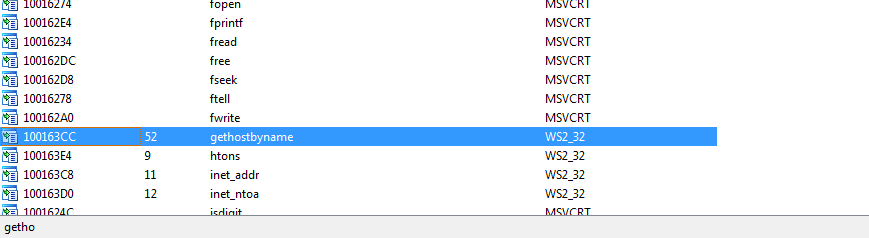
Viewing the Imports window then searching for gethostbyname we find it referenced at address 100163CC
Q3: How many functions call gethostbyname?
Using Xref (by pressing x on its idata address ). It was called 9 times with 5 times from unique methods
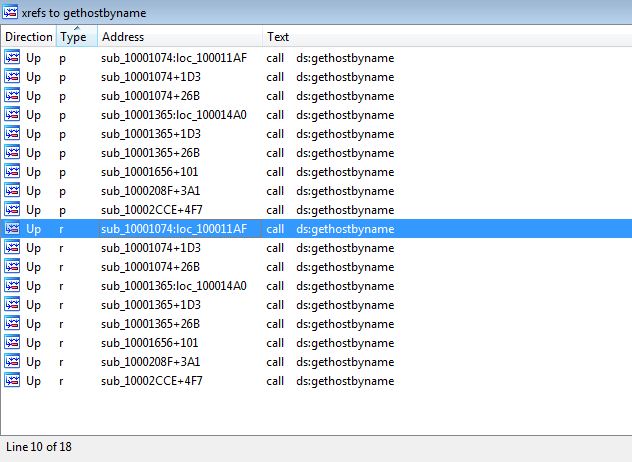
Q4: Focusing on the call to gethostbyname located at 0x10001757, can you figure out which DNS request will be made?
Pressing g to jump to 0x10001757 scrolling up we find the argument to the call pushed is the EAX Which
Contains Data String reference address added with 0x0D which is 13 in decimal
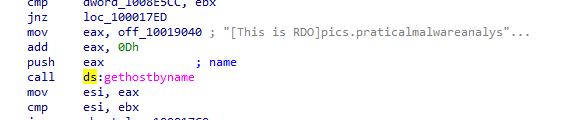
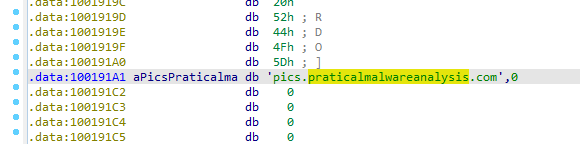
Going to the reference address by clicking twice on it and pressing U to undefine data then going up 13 places
and pressing A to redefine at that offset +13 We get pics.praticalmalwareanalysis.com
Q5: How many local variables has IDA Pro recognized for the subroutine at 0x10001656?
Jumping to same address we find 24 variable
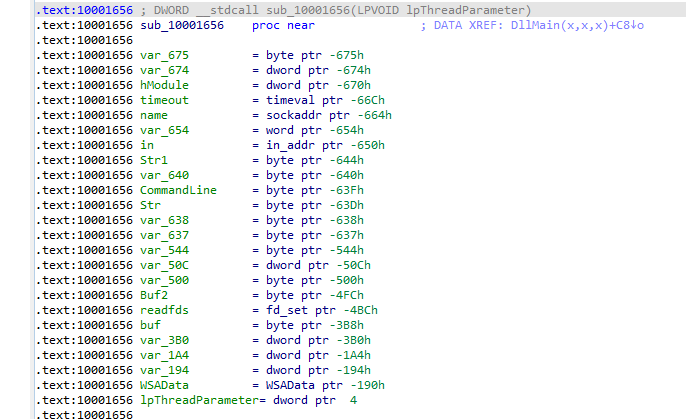
Q6: How many parameters has IDA Pro recognized for the subroutine at 0x10001656?
Arguments passed to subroutine are referenced by positive value (with respect to ebp) and local variable negative values
we notice only lpThreadParameter is the only parameter
Q7: Use the Strings window to locate the string cmd.exe /c in the disassembly. Where is it located?
At 100101D0
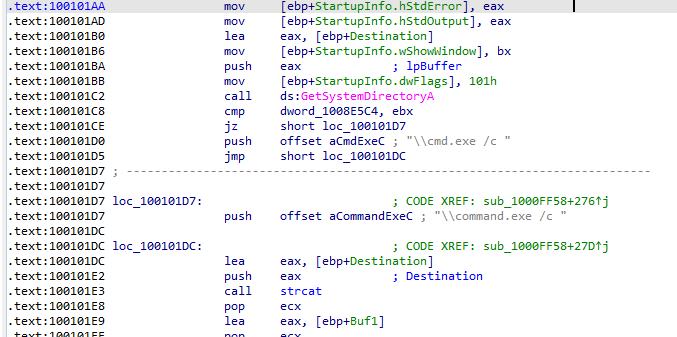
Q8: What is happening in the area of code that references cmd.exe /c?
scrolling up we find string reference at 1001009D “hi master” going to that offset we find “remote shell” which
sounds like a C&C session what this area of code opens
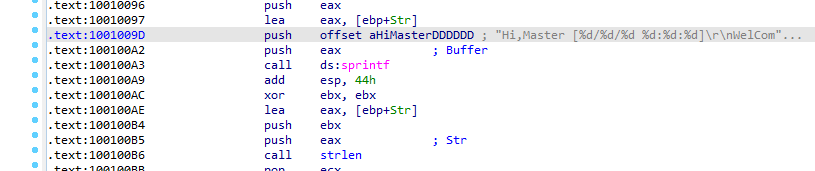
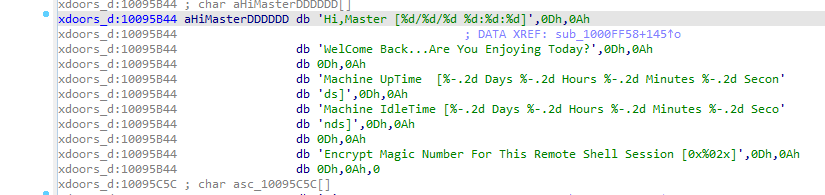
Q9: In the same area, at 0x100101C8, it looks like dword_1008E5C4 is a global variable that helps decide which path to take. How does the malware set dword_1008E5C4? (Hint: Use dword_1008E5C4’s cross-references.)
Going to dword_1008E5C4 offset by double clicking
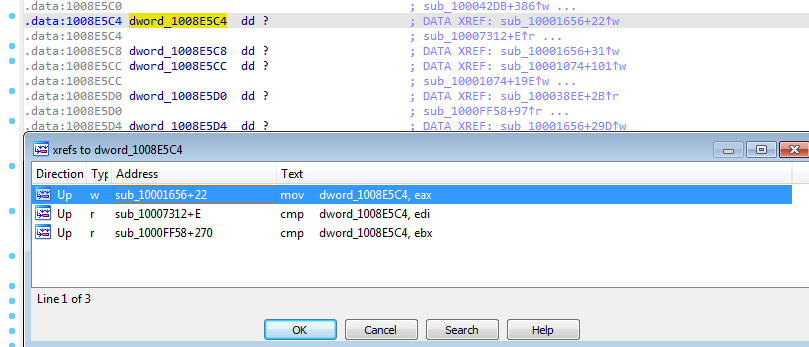
Pressing x to see the places where it was referenced to see how it was set. Going to the most likely place it was set in mov dword_1008E5C4,eax
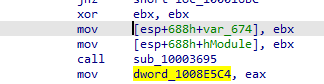
Noticed that a function is called then the return (EAX) is passed to the global variable dword_1008E5C4
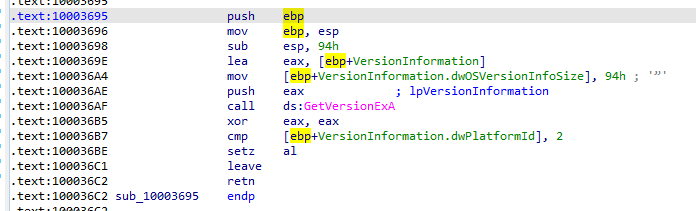
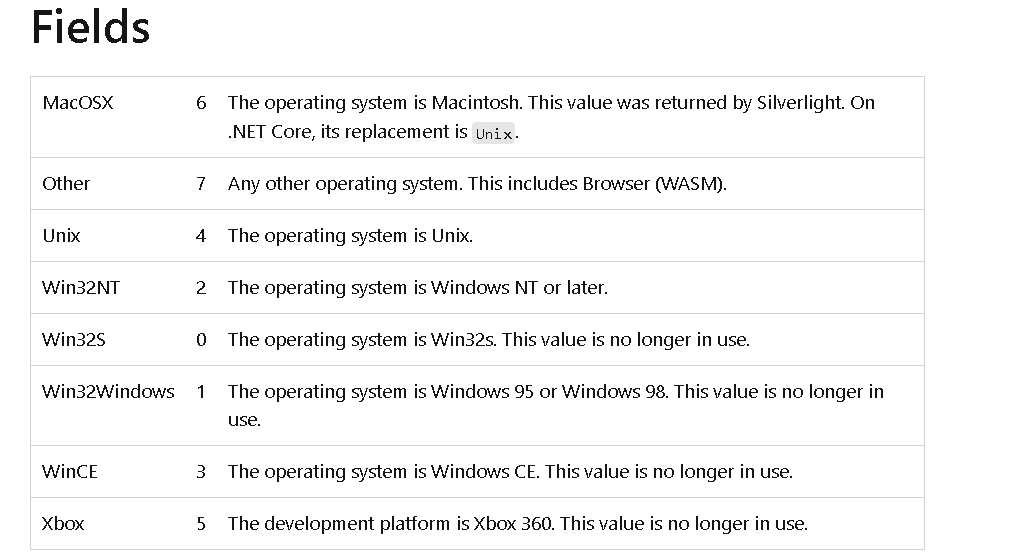
Going into the function. It begins with initializing the stack then allocating space on the stack (for variables and other data) Then initializing the structure VersionInformation to be passed (its pointer) into GetVersionEXA, setting eax to zero , then comparing dwPlatformId if equal to 2 and setting 1 (True) or 0 (False) to al register the result register then returning
The Function in overall checks the OS is Win32NT and acts on it
Q10: A few hundred lines into the subroutine at 0x1000FF58, a series of comparisons use memcmp to compare strings. What happens if the string comparison to robotwork is successful (when memcmp returns 0)?
Going to the address using jump (g) then search for text memcmp
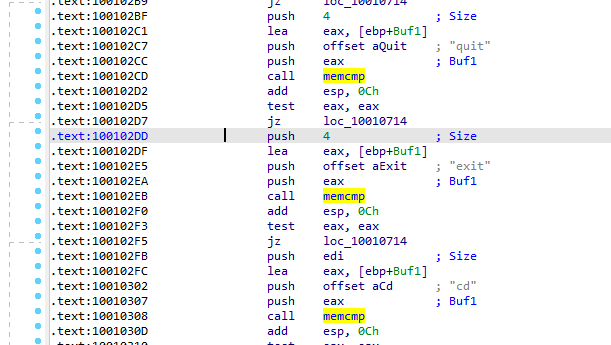
When memcmp is successful and EAX is 0 , Test eax,eax sets Zero flag to 1, and JNZ jumps if zero flag is 0, so no jump
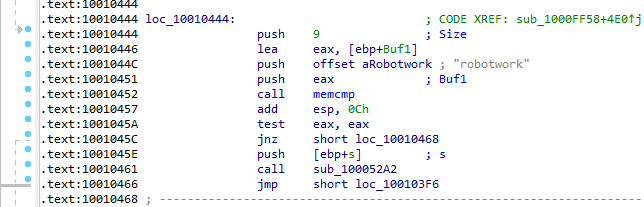
We go into next instruction the flow should take is call sub_100052A2 going into that routine
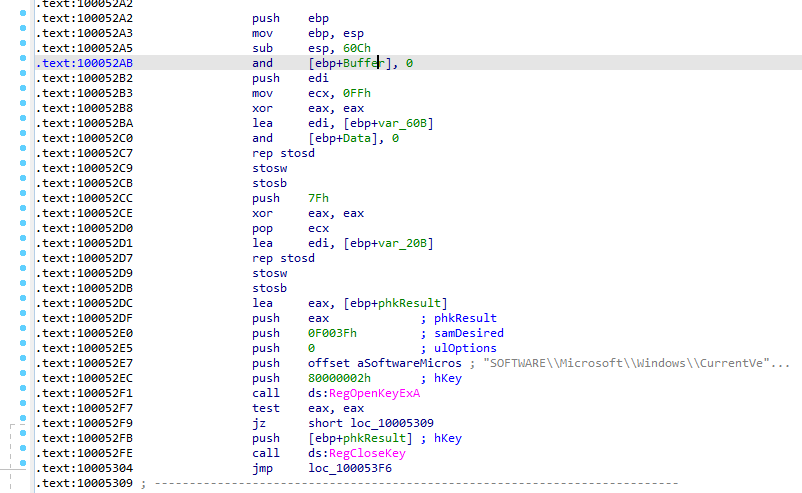
First in the start of function it takes parameter of type socket and sets variables ida named it buffer and data looks like it will send data over the network need to watch the network traffic
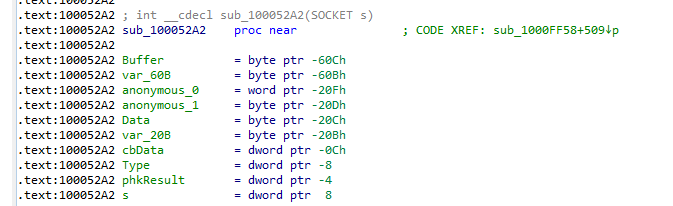
It’s trying to open registery SOFTWARE\\Microsoft\\Windows\\CurrentVersion if it opens it ,RegOpenKeyEXA sets eax to 0 if successful
and the flow jumps to (JZ) loc_10005309
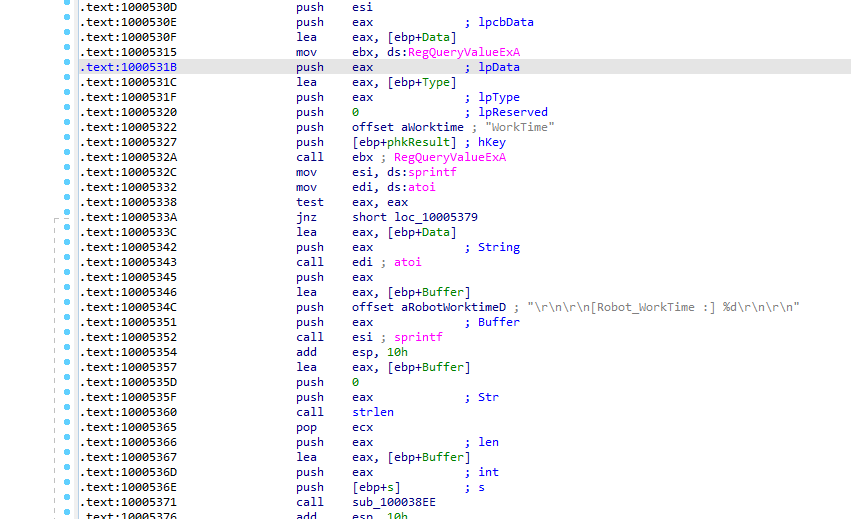
at 10005322 it is querying registery worktime which may be sent over the network
Q11: What does the export PSLIST do?
Going to exports windows, double clicking PSLIST to see its code
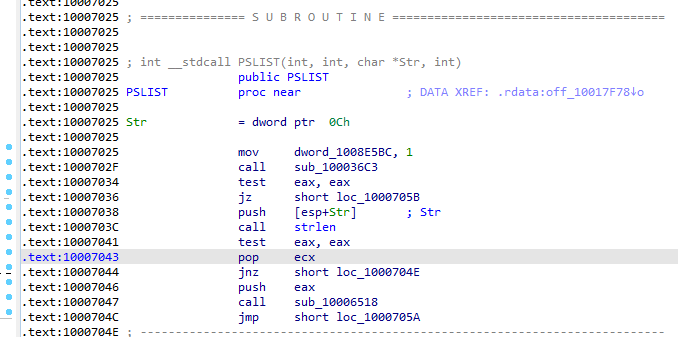
First it sets global vaiable dword_1008E5BC to 1 then calls the function sub_100036C3 going into that function
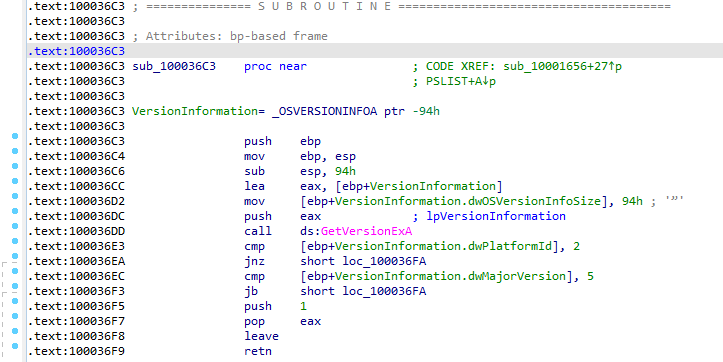
cmp majorversion , 5 jb short loc_100036FA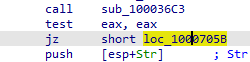
If it’s 1 the flow goes on to the next piece which checks Str variable isnot null or empty
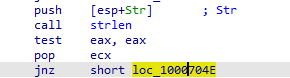
1000664C10006518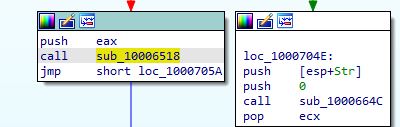
In 1000664C We can see it call CreateToolHelp32Snapshot which Takes a snapshot of the specified processes, as well as the heaps, modules, and threads used by these processes.
Creates a structure PROCESSENTRY32 puts the snapshot into it
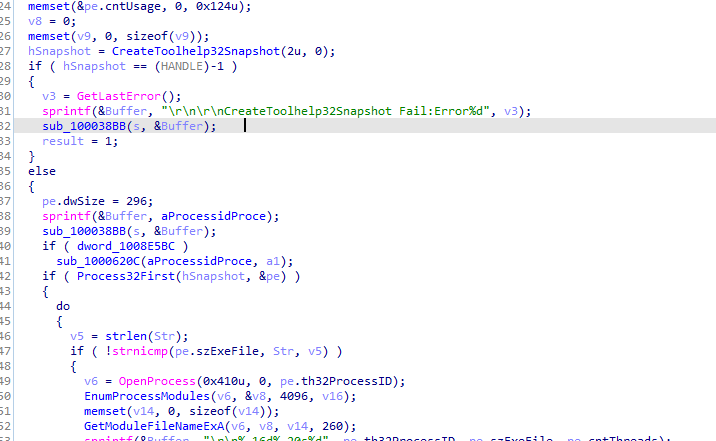
In the loop, it checks if the name of the process (pe.szExeFile) matches a specified string (Str) If checks to gathers information about that process from the snapshot
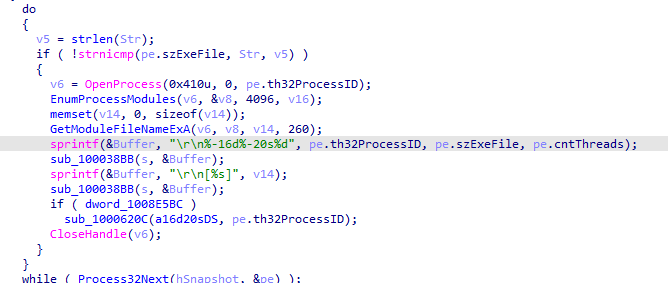
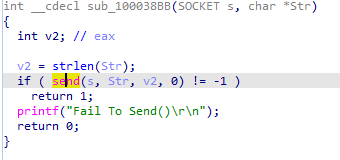
It sends those information to the network
Going over that other branch if Str is zero or null 10006518
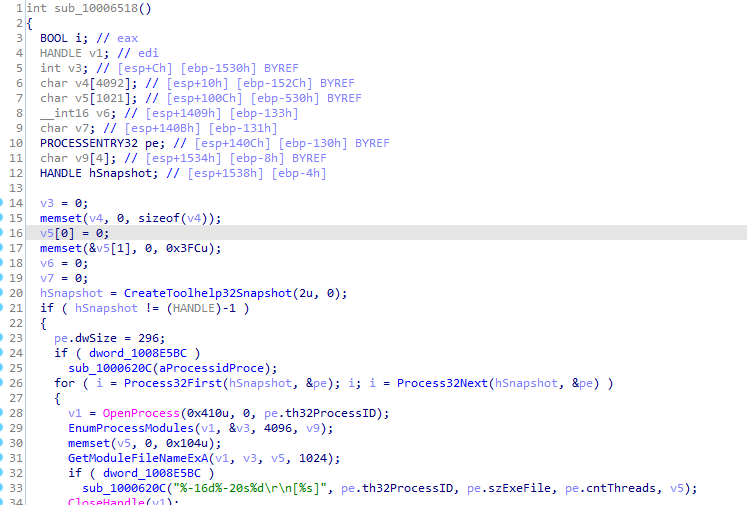
Seems like its the same but without sending any data over the network
Q12: Use the graph mode to graph the cross-references from sub_10004E79. Which API functions could be called by entering this function? Based on the API functions alone, what could you rename this function?
View -> Graph -> XRef From
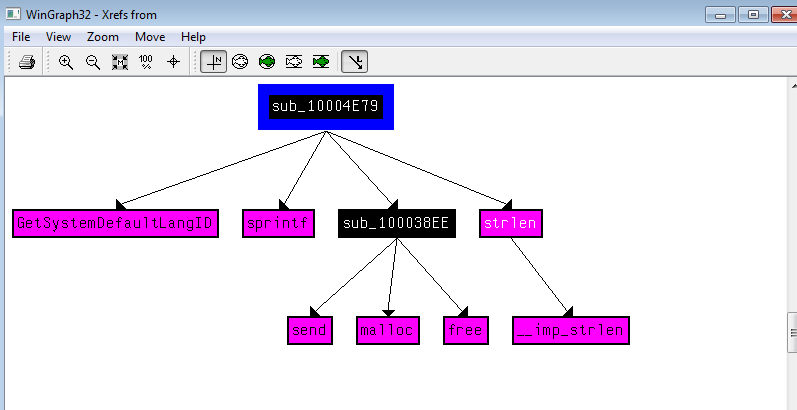
Sounds like it get the langauge identifier from GetSystemLanguageID then sets it to some buffer with sprintf to send
it over the network with sub_100038EE , we could name this function send_languageId
Q13: How many Windows API functions does DllMain call directly? How many at a depth of 2?
For direct calls setting depth at 1
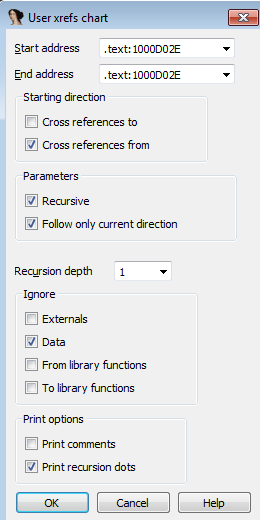
We see 4 WIN API calls
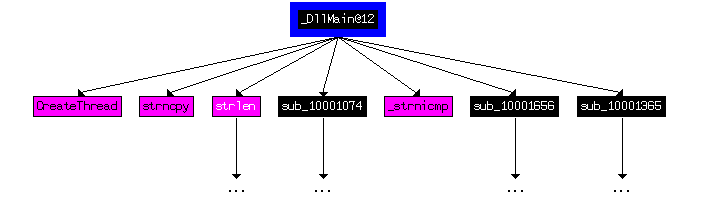
At depth 2 A lot
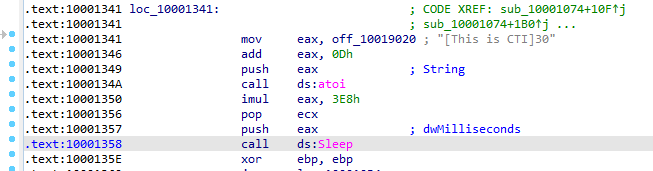
Q14: At 0x10001358, there is a call to Sleep (an API function that takes one parameter containing the number of milliseconds to sleep). Looking backward through the code, how long will the program sleep if this code executes?
First offset 10019020 ([This is CTI]30) is moved to eax ,then add with 0x0D which is 13 in decimal which sets eax to offset starting with string data 30 Then converted to int then multiplied with 1000 decimal and passed to sleep
It sleep for 30 seconds
Q15: At 0x10001701 is a call to socket. What are the three parameters?
The three parameters pushed to the stack before the call; protocol,type,af (6,1,2)
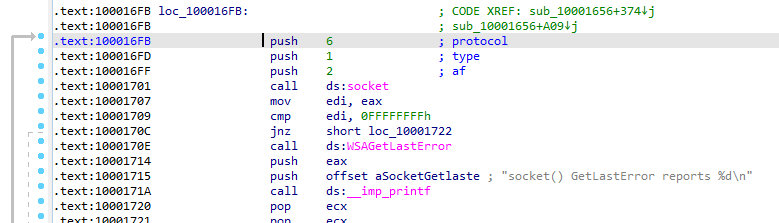
Q16: Using the MSDN page for socket and the named symbolic constants functionality in IDA Pro, can you make the parameters more meaningful? What are the parameters after you apply changes?
Using .. _target MSDN page:https://learn.microsoft.com/en-us/windows/win32/api/winsock2/nf-winsock2-socket
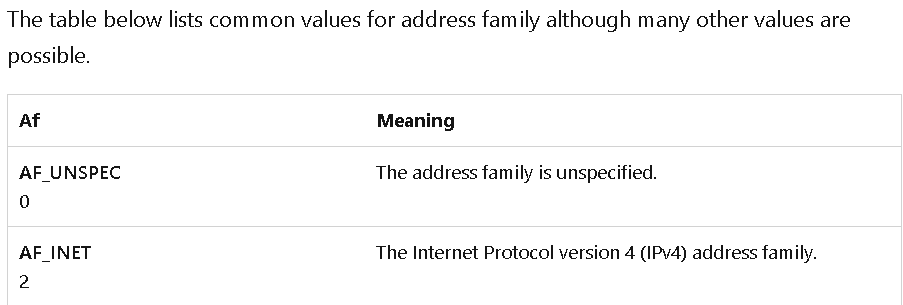
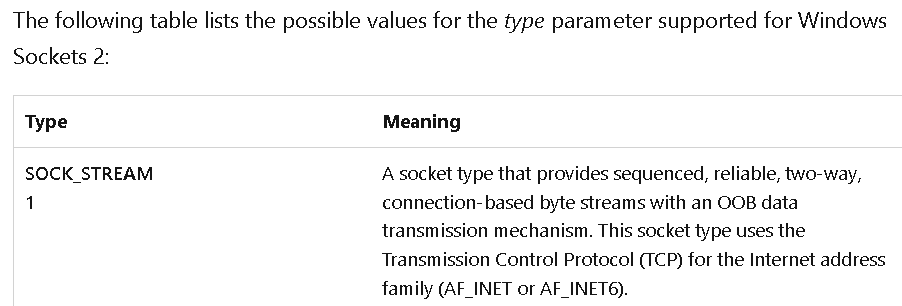
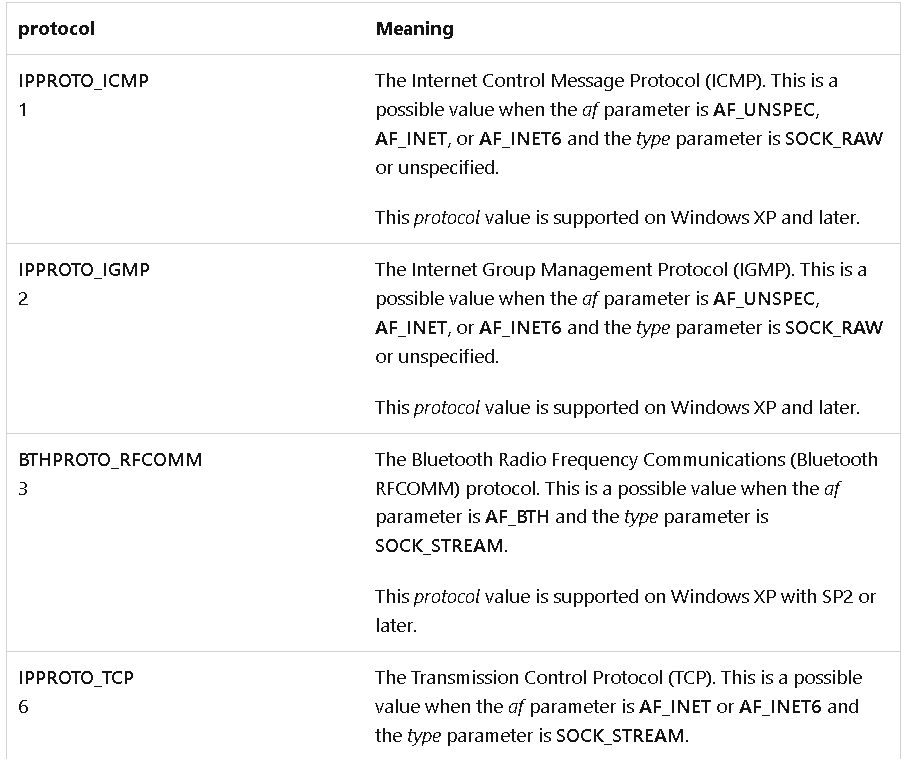
We rename the parameters with right click -> Symbolic constant -> Use Symbolic constant

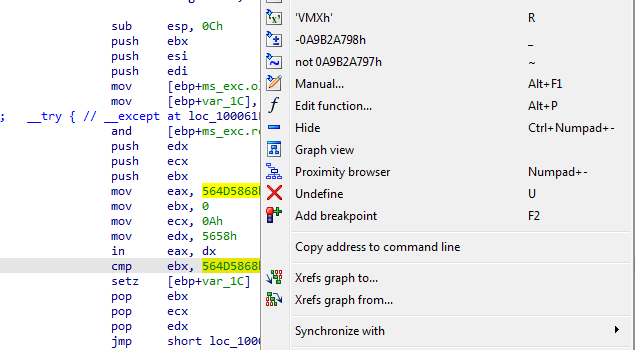
Q17: Search for usage of the in instruction (opcode 0xED). This instruction is used with a magic string VMXh to perform VMware detection. Is that in use in this malware? Using the cross-references to the function that executes the in instruction, is there further evidence of VMware detection?
ALT +b for search byte then set all occurences
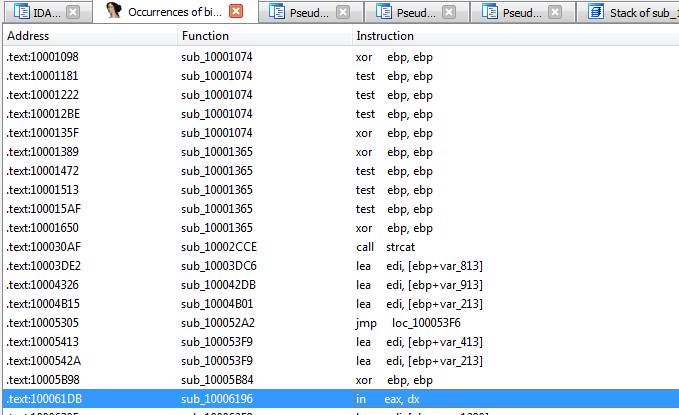
going into sub_10006196, we see there is a compare with hex when converted to ASCII it get string VMXh
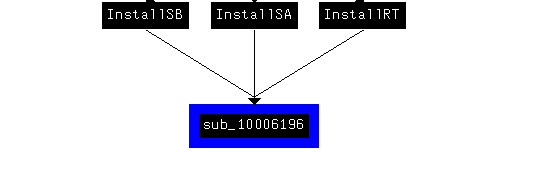
There are 3 functions that references this functions, which they cancel install if VM detected
Q18: Jump your cursor to 0x1001D988. What do you find?
Data of characters
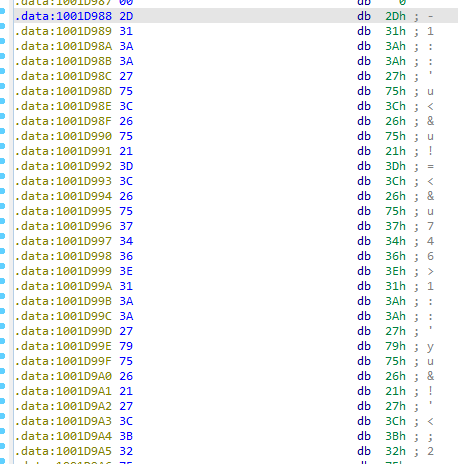
Q19: If you have the IDA Python plug-in installed (included with the commercial version of IDA Pro), run Lab05-01.py, an IDA Pro Python script provided with the malware for this book. (Make sure the cursor is at 0x1001D988.) What happens after you run the script?
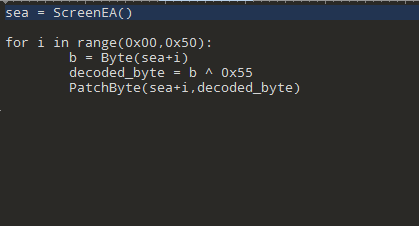
Can’t run the files the python file is outdated but it XORs the data with 0x55
Q20: With the cursor in the same location, how do you turn this data into a single ASCII string?
By pressing a (to change default formatting alt + a)
Q21: Open the script with a text editor. How does it work?
Xors data from current selected in screen to 0x50 loop with 0x55